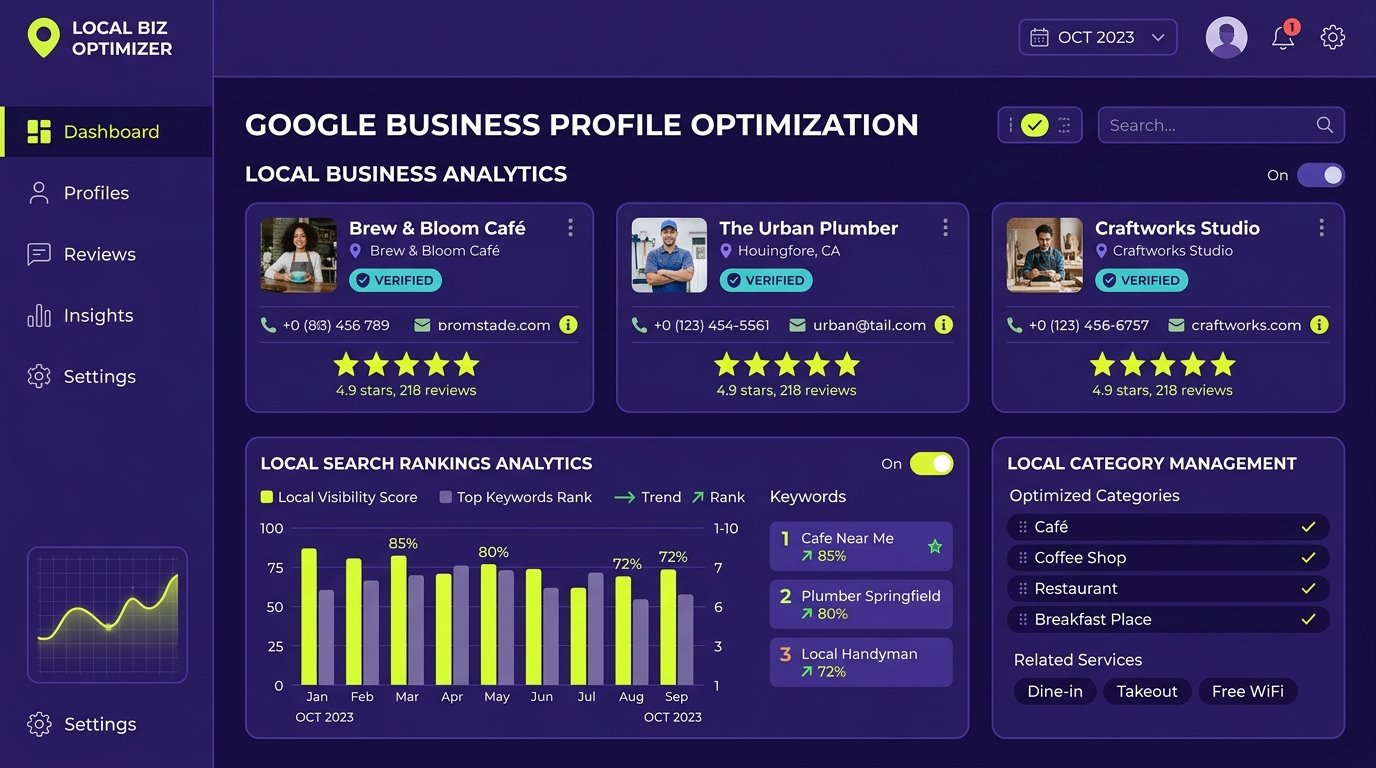
For local and regional enterprises, your Google Business Profile (GBP) is frequently the first—and sometimes only—digital touchpoint a prospective customer interacts with before making an inquiry.
When a customer performs a high-intent local search, your profile displays your phone number, customer ratings, physical address, business hours, photos, and direct links to your website. If your profile is poorly maintained, lacking photos, or miscategorized, prospective customers will simply scroll past your listing to an active competitor.
Optimizing your Google Business Profile is not a one-time setup task; it is an ongoing marketing channel. In this comprehensive guide, we examine every element of profile optimization to help your business maximize local visibility and turn map views into phone calls, appointments, and commercial inquiries.
1. The Strategy Behind Primary and Secondary Categories
Nothing influences your local map visibility more directly than your choice of business categories.
- The Primary Category: This signals to Google the fundamental nature of your business. If your company provides commercial electrical installations, setting your primary category to “Electrical Contractor” will capture significantly more qualified search volume than setting it to generic “Corporate Office”.
- Secondary Categories: Use secondary categories to represent your supporting lines of business. For example, an IT services company might select: Primary: Computer Support and Services; Secondary: Data Recovery Service, Web Hosting Company.
Rules to Follow: Never add categories that you do not actively fulfill. Category spam is monitored closely by Google and can lead to profile suspensions. Monitor competitor categories in your local area to understand which primary classifications are winning top spots in the Local 3-Pack.
2. Crafting an Effective Business Description
Google provides 750 characters in your business description field. While the description itself does not directly alter keyword ranking algorithms, it heavily dictates your click-through and conversion rates.
- Lead with your core value proposition: Clearly explain what your business does and who you serve within the first 250 characters (before the “Read more” cutoff).
- Highlight specific specializations: Mention your core service categories, industry experience, and regional coverage.
- Include a natural call to action: Encourage searchers to call, visit your premises, or explore your service catalog.
- What to avoid: Do not include promotional URLs, HTML tags, phone numbers, or all-caps marketing hype.
3. Setting Up Service Menus and Products
Google Business Profile allows businesses to build out detailed Services and Products showcases directly on the listing.
When users browse on mobile devices, Google often highlights specific services directly under your profile headline or in search snippets (known as justifications). Break down your broad capabilities into specific deliverables with concise descriptions. Even service-based B2B companies can utilize the “Products” feature to create visually engaging cards for their core service packages, complete with custom imagery and direct links to corresponding landing pages.
4. Strategic Photo and Video Management
Visual content on your profile influences both customer trust and user engagement metrics. Profiles that consistently add high-quality, authentic photos receive significantly more phone inquiries and direction requests.
Upload authentic photography regularly: clean exterior building entrance, well-lit photographs of meeting spaces or production machinery, and candid photos of your team. Avoid image policy violations: do not upload watermarked stock imagery, excessively filtered photos, or images containing overlay text covering more than 10% of the graphic.
5. Google Business Profile Updates (Formerly Google Posts)
Google Posts allow businesses to publish news, announcements, special offers, and event updates directly to their search listing. Posts remain visible on your profile and provide search engines with fresh contextual content.
Publish one high-quality update every 7 to 14 days using a 1200×900 high-resolution image and 80 to 120 words of clear text explaining a recent company update or helpful industry tip, paired with an action button such as “Learn More” or “Call Now”.
6. The Complete Review Acquisition and Management System
Reviews are the cornerstone of local search prominence. Building an authoritative review profile requires a structured, ethical process:
- Generate a Direct Review Link: Navigate to your profile dashboard, click “Ask for reviews”, and copy the clean short-link that opens the review submission box directly.
- Timing Your Request: The best time to request a review is immediately upon the successful completion of a project milestone or delivery when customer satisfaction is highest.
- Respond to All Reviews Professionally: Thank clients warmly by name for positive feedback. For critical reviews, maintain a professional, objective tone, acknowledge the client’s frustration, and invite them to resolve the matter directly via phone or email. Never engage in hostile arguments in a public forum.
7. Google Business Profile Messaging and Q&A
Two interactive profile features that are frequently neglected by businesses:
- Google Messaging (Chat): If enabled, prospective clients can message your business directly from Google Maps. If you enable messaging, you must respond within 24 hours. Prolonged response times can result in Google deactivating the chat feature for your listing.
- The Public Q&A Section: Anyone can ask and answer questions on your profile. Proactively add and answer your own frequently asked questions: post the five most common questions your sales team receives and publish official, authoritative answers under your verified business badge.
8. Protecting Your Profile: Spam Prevention and Guideline Compliance
Google strictly enforces its Business Profile guidelines. Violating them can result in an unexpected profile suspension, wiping out your local map presence overnight.
- Do NOT Add Keywords to Your Business Name: Your profile title must match your legal business name or official signage. Adding modifiers is a direct guideline violation that competitors can report for suspension.
- Do NOT Use Virtual Offices or P.O. Boxes: If your business uses a physical address, you must have permanent company signage and operational staff present during stated hours.
- Do NOT Solicit Fake Reviews: Never buy reviews, participate in review exchange schemes, or incentivize customers with discounts in exchange for five-star ratings. Google’s automated filters actively detect and purge manipulated reviews.
Maximize Your Local Search Revenue With Seyon
Looking to maximize your local market visibility and attract high-intent inquiries from Google Maps? Explore Seyon’s Local SEO Services or contact our local search team today for a complete profile review and optimization plan.
Frequently Asked Questions
How often should I update my Google Business Profile?
Core business details (NAP, categories, services) should be reviewed monthly or whenever operational changes occur. Photos and Google Business Profile updates (Posts) should ideally be published every 7 to 14 days to signal active management to search engines.
What should I do if my Google Business Profile gets suspended?
Review Google’s official guidelines to identify any non-compliant elements. Correct the issue, gather official business registration documents and utility bills matching the address, and submit an official Reinstatement Request through Google support.
Can I manage multiple branch locations under one Google account?
Yes. If your company operates multiple legitimate physical branches, you can manage them within a single Google Business Profile Location Group, ensuring each listing maintains its own accurate local address and phone number.
Do Google Business Profile posts help with SEO rankings?
While posts themselves are not a direct algorithmic ranking factor, they increase customer engagement, dwell time, and click-through rates to your website. They also allow you to highlight specific services and promotions that encourage inquiries.